This article contains affiliate links. If you purchase or book through these links, we may earn a commission at no additional cost to you.
For over a decade, digital marketers have treated search engine optimization and social media marketing as distinct disciplines requiring separate software stacks. A typical marketing department might run Semrush or Ahrefs for SEO, Hootsuite or Sprout Social for scheduling and monitoring, BuzzSumo for content research, and an independent platform like Grin or Upfluence for creator partnerships.
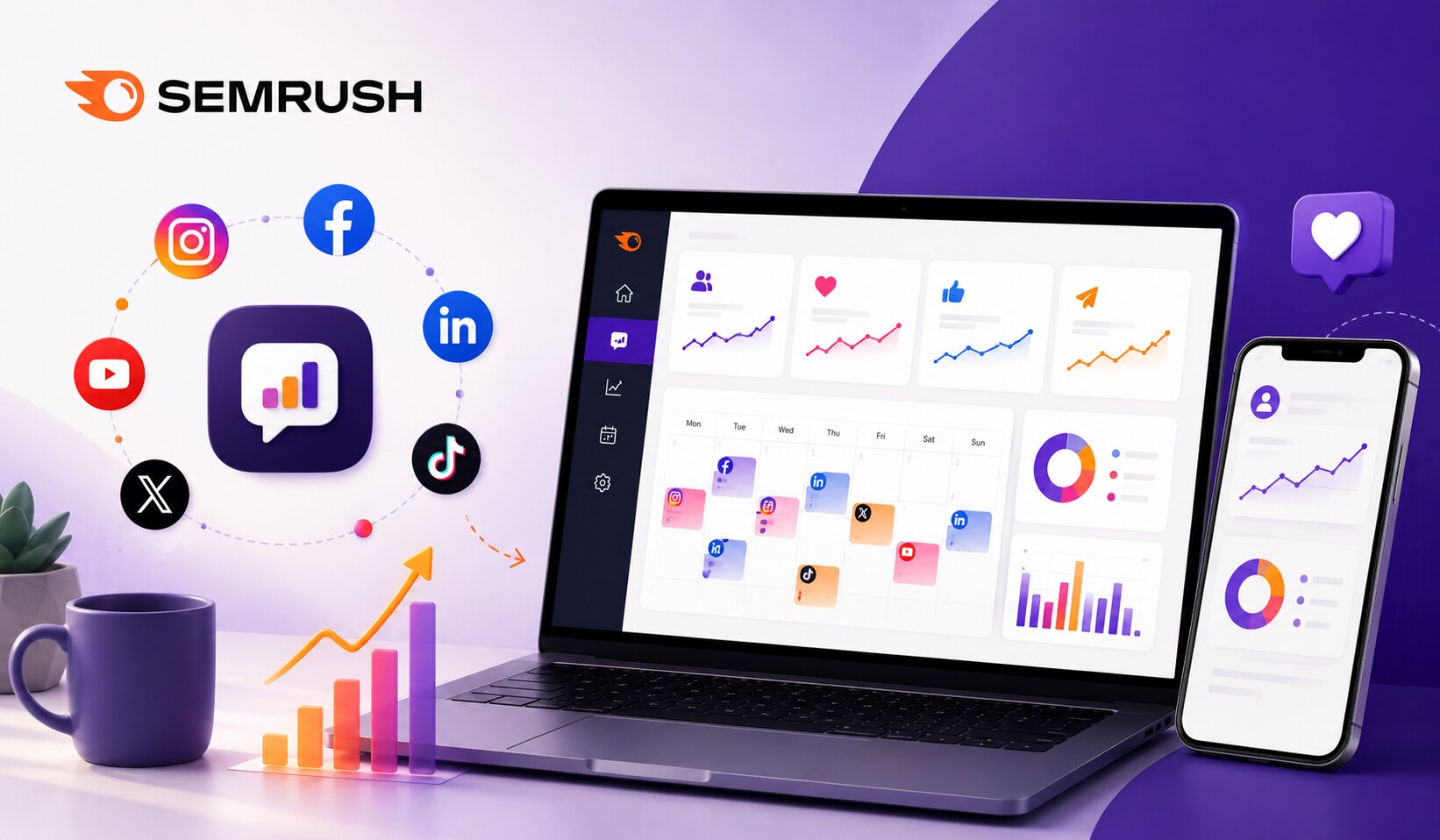
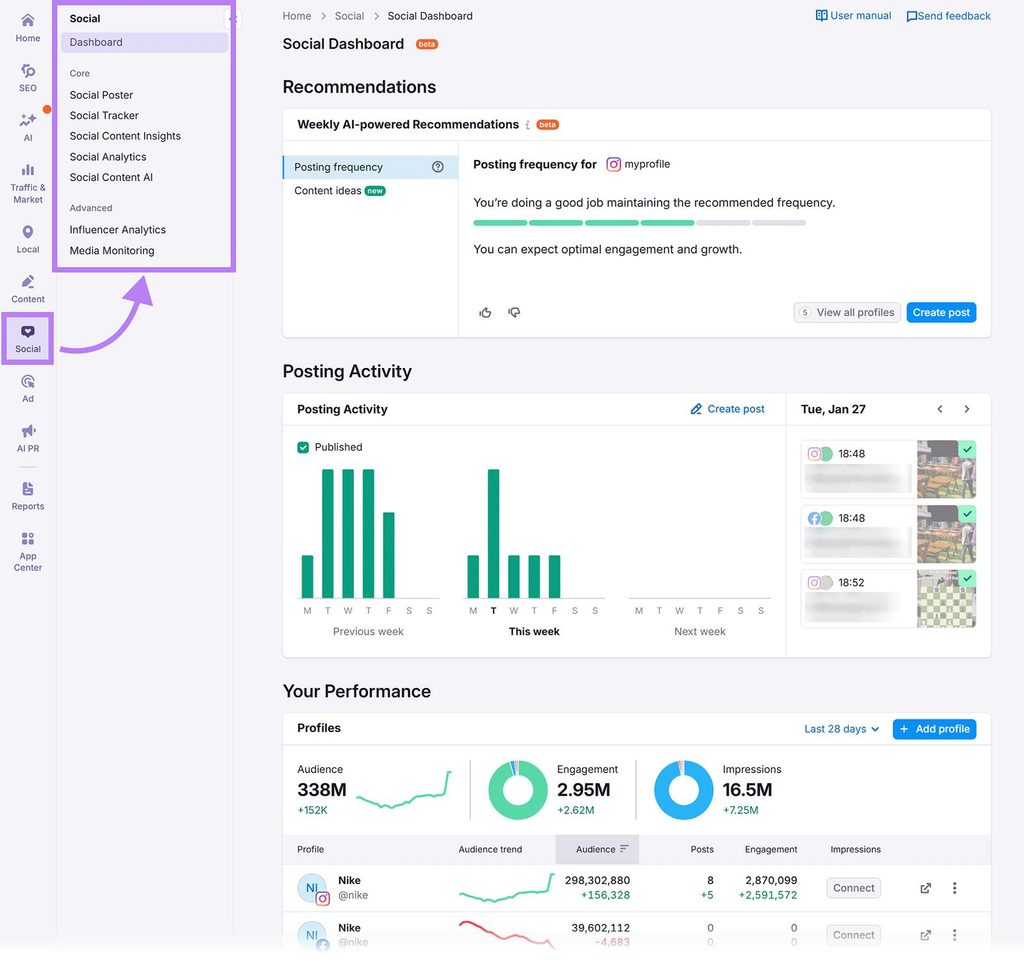
The Semrush Social Toolkit challenges this fragmented setup. Rather than positioning itself as a lightweight add-on, Semrush has built an integrated ecosystem that unifies scheduling, competitive benchmarking, post-level analytics, and influencer discovery.
Can a platform rooted in keyword research and backlink analysis realistically replace dedicated, best-in-class social media management tools? This review evaluates the five core pillars of the Semrush Social Toolkit, Social Poster, Social Tracker, Social Analytics, Content Insights, and Influencer Analytics, to determine whether consolidating your stack is both practical and cost-effective.
The Problem with the Modern “Fragmented” Social Stack
Before diving into individual tools, consider the operational friction of managing multiple platforms:
- Siloed Performance Data: Organic search data lives in one dashboard, paid search in another, and social engagement metrics in third-party reporting portals. Correlating a social viral spike with organic brand search volume requires manual spreadsheet exports.
- Subscription Bloat: Paying separate monthly licenses for scheduling (e.g., $99/mo), social listening ($150/mo), and influencer discovery ($300+/mo) quickly adds up to thousands in annual SaaS expenses.
- Disjointed Content Ideation: Content teams often research trending topics in an SEO tool, write articles in a CMS, and then copy-paste links into a separate social scheduler without a unified tagging or feedback loop.
Semrush addresses these issues by embedding social workflows directly inside the same interface where marketers perform competitive research and content planning.
The Core Five: Evaluating the Unified Workflow
Ideate & Benchmark → Schedule & Publish → Track & Measure → Optimize & Scale
Social Tracker → Social Poster → Social Analytics → Content Insights & Influencer Analytics
1. Social Poster: Planning, Drafting, and Multi-Channel Scheduling
Social Poster serves as the operational engine of the toolkit. It provides a centralized, interactive content calendar capable of drafting, approving, and publishing posts across major networks:
- Supported Channels: Facebook, Instagram, LinkedIn, X, Pinterest, TikTok, YouTube, and Google Business Profile.
- Interactive Content Calendar: Allows teams to drag-and-drop posts, preview live previews for mobile and desktop feeds, and set color-coded campaign tags.
- Optimal Timing Engine: Analyzes your historical audience activity to suggest the best times to post for maximum reach and engagement.
- Built-in AI Assistant: Assists with generating caption ideas, rephrasing text for specific platform tones, and suggesting contextual hashtags.
- Chrome Extension & RSS Feeds: Lets you schedule articles on the fly as you browse the web, or connect RSS feeds to automate content curation from industry publications.
Workflow Verdict: For standard scheduling, queueing, and multi-network cross-posting, Social Poster matches the core functionality of Buffer and standard Hootsuite plans. While it lacks enterprise-level visual grid planners found in specialized Instagram tools like Later, its execution is smooth and reliable for day-to-day operations.
2. Social Tracker: Deep Competitive Intelligence
While scheduling is table stakes, competitive benchmarking is where Semrush leverages its analytical heritage. Social Tracker allows you to input any competitor’s domain or social handle to track their public performance across channels.
- Posting Frequency & Cadence: Visualizes how often competitors publish, broken down by day of the week, hour of the day, and content type (video, carousel, image, text).
- Engagement Breakdowns: Highlights which specific posts are outperforming their baseline engagement rate, helping you reverse-engineer viral hooks and themes.
- Audience Growth Comparison: Plots your brand’s growth curve directly against competitors on a single comparative graph.
- Hashtag Tracking: Identifies which campaign tags and trending keywords your competitors are leaning into most frequently.
Workflow Verdict: Most dedicated schedulers treat competitor analysis as an expensive enterprise add-on. Semrush includes granular, handle-by-handle competitive intelligence natively, making it a standout feature for strategists who build content based on competitive gap analysis.
3. Social Analytics: Macro Performance & Cross-Channel Reporting
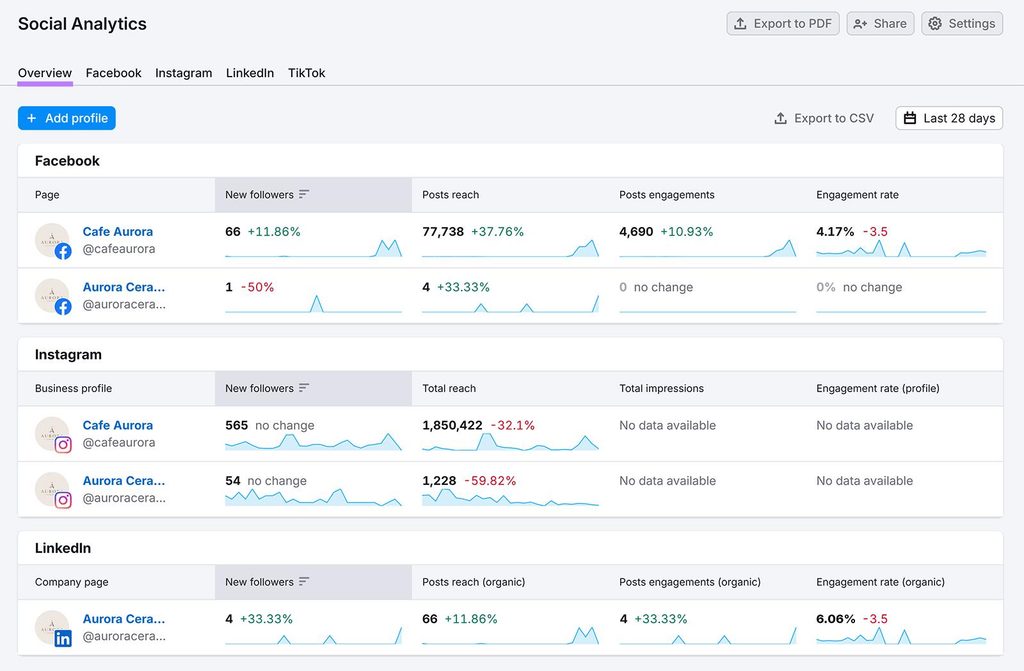
Social Analytics acts as the high-level executive dashboard. Rather than forcing you to log into Meta Business Suite, LinkedIn Page Analytics, and TikTok Creator Studio separately, it aggregates performance into clean, unified charts.
- Macro Metrics: Tracks aggregate reach, impressions, audience growth, profile visits, and overall engagement rates across connected profiles.
- Audience Demographics: Details geographic location, gender splits, age distributions, and active time zones.
- B2B Audience Data (LinkedIn): Breaks down page followers by job function, industry, and company size—crucial data for B2B marketers.
- Automated PDF Reporting: Integrates with the Semrush My Reports tool, allowing agencies to schedule white-labeled monthly reporting packs delivered directly to clients or internal stakeholders.
Workflow Verdict: Social Analytics delivers clean visualization for executive reporting. It cuts down hours spent aggregating disparate platform metrics at the end of each billing cycle.
4. Content Insights: Granular Post-Level Diagnostics
Where Social Analytics zooms out, Social Content Insights zooms in. This tool translates raw interaction data into tactical insights that show you what specific messaging drives action.
- Campaign & Theme Tagging: By tagging individual posts with specific themes (e.g.,
#ProductUpdate,#CustomerStory,#BehindTheScenes), the tool aggregates performance by content pillar rather than just single posts. - Format Diagnostics: Demonstrates whether your audience interacts more with short-form videos, single image quotes, or long-form LinkedIn text carousels.
- Top Post Signals: Filters content based on defined performance thresholds (e.g., engagement rate greater than 2% or link click volume above average) to isolate winning creative formulas.
Workflow Verdict: The tagging and content pillar architecture is an excellent feature for growth marketers running structured content experiments. It closes the feedback loop between publishing a post and understanding why it worked.
5. Influencer Analytics: Discovery and Campaign Tracking
The addition of Influencer Analytics rounds out the organic social stack, providing creator intelligence across platforms like YouTube, Instagram, TikTok, and Twitch.
- Creator Discovery Engine: Search a database of millions of creators filtered by niche, engagement rate, audience demographics, geographical distribution, and price estimates.
- Fake Follower & Engagement Audits: Analyzes audience quality scores to ensure you aren’t paying for bot-inflated follower counts.
- Competitor Sponsorship Tracking: See which creators your direct competitors are sponsoring and estimate their campaign budgets.
- Campaign Management: Organize creator shortlists, track contractual deliverables, and monitor live campaign reach in one portal.
Workflow Verdict: For brands running micro-to-mid-tier influencer campaigns, this eliminates the need for expensive dedicated influencer software like Upfluence or Traackr.
Semrush Social Toolkit vs. Dedicated Social Media Platforms
| Feature / Capability | Semrush Social Toolkit | Buffer | Hootsuite | Sprout Social |
| Multi-Platform Scheduling | Yes (Major Networks) | Yes | Yes | Yes |
| Unified Content Calendar | Yes | Yes | Yes | Yes |
| Competitor Tracking Depth | Comprehensive (Domain/Handle) | Basic | Moderate | Advanced |
| Post Tagging & Content Insights | Yes | Limited | Yes (Add-on) | Yes |
| Influencer Discovery & Audits | Yes (Built-in) | No | No (Integration) | Limited |
| Social Inbox & Direct Messaging | Basic / Limited | Basic | Advanced | Enterprise-Grade |
| Integrated SEO & Search Data | Native (Same Platform) | No | No | No |
| Best Suited For | In-house teams & agencies | Solopreneurs | Mid-market | Enterprise teams |
Where Semrush Social Wins
- True Stack Consolidation: If your team already relies on Semrush for keyword tracking, backlink audits, and technical SEO, adopting the Social Toolkit eliminates duplicate vendors, invoices, and user seats.
- Superior Competitor Intelligence: Because Semrush is fundamentally built around competitor benchmarking, its Social Tracker provides richer competitive data than entry-level social schedulers.
- Data Continuity Across Organic Search & Social: Aligning your content calendar with high-value keyword opportunities and monitoring content reach under one roof bridges the gap between search intent and social distribution.
- Transparent Pricing Structure: Unlike tools that hide basic competitor analysis or influencer discovery behind high custom tiers, Semrush provides accessible entry plans.
Where Dedicated Tools Still Hold an Edge
- Community Management & Social Inbox: If your social team handles high-volume customer service, support ticketing, and complex multi-inbox triage, dedicated platforms like Sprout Social or Zendesk offer deeper routing rules and CRM integrations.
- Deep Native Formats: Specialized platforms sometimes offer faster day-one adoption of novel platform features, such as specialized Instagram Stories interactive sticker scheduling or niche platform integrations.
The Verdict: Can It Replace Your Social Media Stack?
Replace Your Stack If:
- You are an in-house marketing team, growing business, or digital agency managing content marketing, SEO, and social distribution concurrently.
- Your primary social goals are brand awareness, audience growth, content distribution, competitor benchmarking, and influencer campaigns.
- You want to reduce monthly software costs by merging separate subscriptions into a unified platform.
Keep a Specialized Tool If:
- Your primary use case is social customer care and enterprise crisis management with tens of thousands of incoming DMs and support tickets every week.
- You operate a specialized creative agency whose sole deliverable is bespoke, highly complex social design grids.
For the vast majority of modern marketing teams, the Semrush Social Toolkit delivers more than enough power, intelligence, and automation to fully replace a fragmented social stack.
Frequently Asked Questions
Can I use the Semrush Social Toolkit without an expensive SEO plan?
Yes. Semrush offers standalone access and dedicated plan tiers for the Social Toolkit, allowing social media managers to utilize the tools without needing full enterprise SEO subscriptions.
Does Social Poster support automatic publishing to Instagram Reels and TikTok?
Yes. Social Poster allows direct scheduling and auto-publishing for video formats on Instagram (including Reels), TikTok, and YouTube Shorts, so you don’t have to rely on mobile reminder push notifications.
How does Semrush track competitors if they haven’t connected their accounts?
Social Tracker analyzes publicly accessible API data and metadata from competitor profiles. It evaluates their publishing cadences, public engagement metrics, and audience growth rates without requiring access to their private accounts.
Is there a limit to how many social profiles I can manage?
Limits depend on your plan tier (e.g., Base, Pro, or Business), which specify the number of connected profiles, tracked competitor accounts, and scheduled post volumes. Upgrades and add-ons are available for agencies managing extensive client rosters.
Can I collaborate with clients or team members on post approvals?
Yes. The workflow includes draft sharing and approval statuses, allowing team leads or external clients to review captions, media assets, and scheduled dates before posts go live.