This article contains affiliate links. If you purchase or book through these links, we may earn a commission at no additional cost to you.
Live entertainment has evolved dramatically. Today’s audiences are moving away from traditional static seating in favor of immersive, multisensory outings, from glowing, intimate classical tributes under sea-like canopies of faux candles to sprawling interactive pop-ups inspired by beloved television shows and blockbuster films.
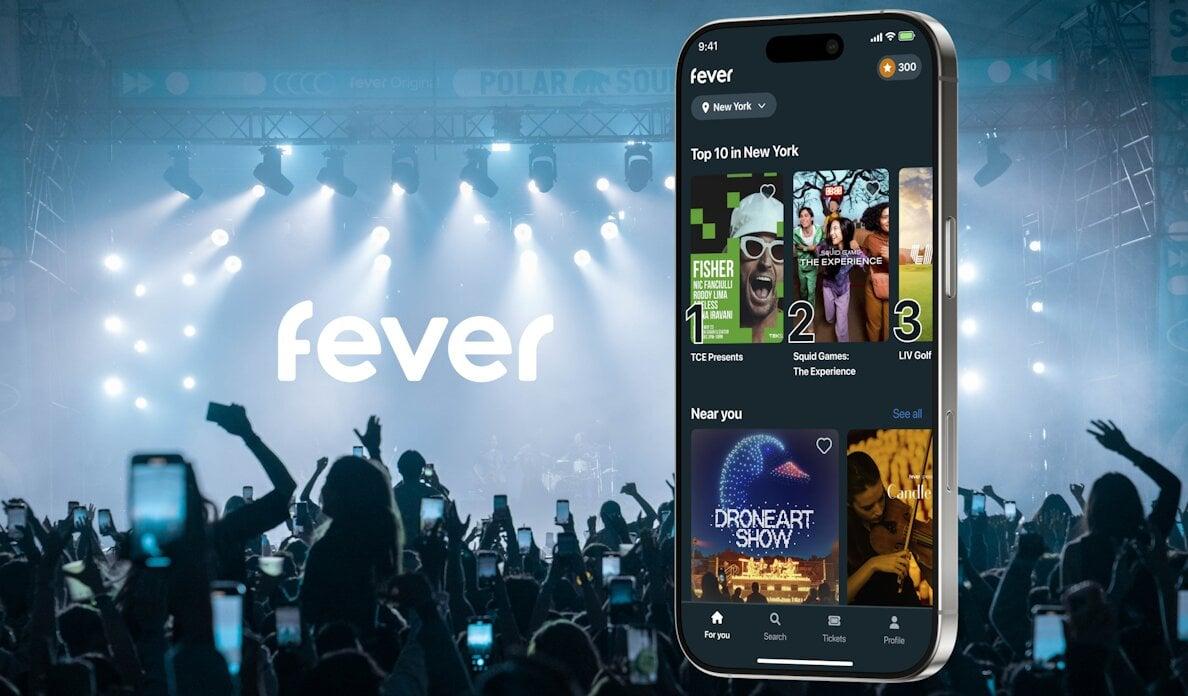
At the center of this experiential boom is Fever (and its popular creator arm, Fever Originals). Whether you are planning a milestone anniversary, coordinating a high-energy group weekend, or looking for something spontaneous on a Thursday night, Fever has become the go-to discovery engine in major cities across the globe.
However, navigating dynamic booking tiers, strict cancellation policies, venue-specific entry rules, and promo structures can feel overwhelming if you do not know the platform’s inner workings.
This comprehensive 2026 guide breaks down everything you need to know: how Fever works, ticket categories, insider booking steps, money-saving hacks, refund policies, and answers to the most common questions.
What Is Fever and How Does It Work?
Founded as an experiential discovery platform, Fever curates and produces local events, cultural exhibitions, immersive dining, and performing arts. Unlike legacy ticketing platforms that primarily act as digital box offices for third-party arena tours or sports teams, Fever operates both as a marketplace and a production house.
The Ecosystem: Marketplace vs. Fever Originals
- Fever Marketplace: Curates dining deals, cocktail tours, local walking excursions, and community theater produced by independent local organizers.
- Fever Originals: High-production signature events conceptualized and funded directly by Fever. Examples include the globally acclaimed Candlelight Concerts, multisensory art exhibits (such as Van Gogh or Monet projections), themed nightlife escapes, and licensed intellectual property events (like Netflix-partnered experiences).
By utilizing proprietary city-by-city interest data, Fever identifies cultural gaps in metropolitan areas and stages events tailored to real-time regional demand.
Understanding Fever Ticket Types and Seating Tiers
Ticket structures vary depending on whether you are booking a seated classical concert, an open-concept art installation, or a timed interactive walkthrough. Understanding these categories prevents post-purchase surprises.
| Ticket Tier | Seating / Entry Type | Best For |
|---|---|---|
| Zone A / Premium | Closest view / front-row section | Milestone dates, optimal acoustics |
| Zone B / Zone C | Mid-tier & rear tiered seating | Balanced value & clear stage view |
| Zone D / Balcony | Budget / restricted angle | Casual listening, cost savings |
| General Entry | Standard entry, timed window | Standard exhibit walkthroughs |
| VIP / Fast-Track | Priority line + exclusive perks | Peak-hour visits, interactive extras |
1. Zoned Seating (e.g., Candlelight Concerts)
For seated performances, Fever generally uses Zoned General Admission rather than individual seat reservation numbers:
- Zone Selection: You purchase a ticket within a specific geographic boundary of the venue (Zone A, Zone B, Zone C, or Balcony). Zone A represents the closest proximity to the stage or performance platform.
- First-Come, First-Served Within Zones: While your zone is guaranteed, your specific seat within that zone is assigned on arrival. If you are in Zone B, arriving 30 minutes before showtime secures the best center-aligned chair within the Zone B perimeter.
- Odd-Number and Group Seating: Staff seat attendees together based on party size upon entry. Larger groups should arrive early to ensure contiguous seating within their selected zone.
2. Timed-Entry Slots vs. Flexible Passes
For immersive walk-throughs and art exhibitions:
- Timed Slots: You select an exact 15-minute or 30-minute arrival window (e.g., 2:30 PM – 3:00 PM). This balances foot traffic and prevents overcrowded galleries.
- Flexi / Any-Time Tickets: Available on select blockbuster exhibits for an added fee, allowing you to bypass the fixed time constraint and arrive whenever the venue is operating on your selected calendar date.
3. VIP, Standard, and Add-On Bundles
- Standard Admission: Covers standard entry into the main exhibition or performance.
- VIP Access: Often includes skip-the-line privileges, complimentary merchandise (such as a laminate lanyard or exclusive poster), and a flexible cancellation window or rebooking credit.
- Beverage and Merchandise Add-Ons: Specialized themed drinks, VR headset upgrades, or souvenir photo packages can often be bundled during the digital checkout process at a slight discount compared to on-site venue prices.
Step-by-Step: How to Book on Fever
Booking through Fever is streamlined, but taking deliberate steps ensures you get the exact date, price point, and confirmation you need without friction.
1. Discovery → 2. Date & Time Selection → 3. Zone / Tier Choice → 4. Checkout & Add-Ons → 5. In-App Ticket Sync
Step 1: Set Your City and Explore
Download the official Fever app (iOS/Android) or navigate to the web platform. Ensure your location permissions or manual city toggle reflects your target destination. Browse curated tabs: Top Experiences, Music & Concerts, Immersive, Food & Drink, or After Dark.
Step 2: Choose Your Date, Time, and Session
Click into the event page. Carefully read the duration, minimum age requirements (many evening concerts enforce an 8+ or 18+ policy), and accessibility notes. Select your desired date and time slot.
Step 3: Pick Your Tier and Quantity
Select the number of tickets per zone. If booking for a group where individuals are paying separately, coordinate the identical zone and time slot simultaneously, as high-demand sessions sell out quickly.
Step 4: Apply Voucher Codes and Credits
Before entering payment details, locate the “Apply Voucher / Promo Code” field. Enter any active discount code or redeem existing Fever Club reward points.
Step 5: Finalize and Secure the In-App Pass
Complete payment via Credit/Debit Card, Apple Pay, Google Pay, or PayPal. Once confirmed, tickets populate immediately in the “Tickets” tab of your account. Fever is an entirely paperless platform, entry relies on a scannable QR code presented on your mobile screen.
7 Proven Ways to Save Money on Fever Tickets in 2026
Attending premium cultural experiences can add up, especially for families or frequent date-night planners. Use these insider methods to maximize your entertainment budget.
1. Leverage the Secret “Waitlist” Advantage
When Fever announces an upcoming world-class production or limited-run IP event, they open a public Waitlist. Signing up costs nothing, but waitlist members receive an exclusive early-access booking link 24 to 48 hours before the public launch, often accompanied by an introductory 10% to 15% early-bird promo code.
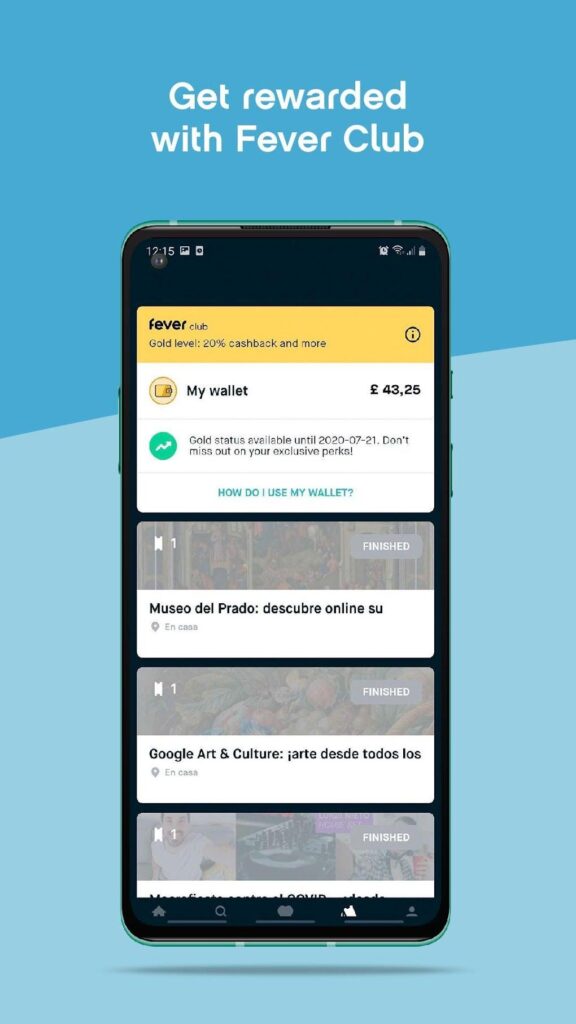
2. Maximize the Fever Club Loyalty Program
Fever runs an integrated loyalty mechanism called Fever Club:
- Every purchase automatically earns a percentage back as Fever credit (typically 10% to 15% in promotional loyalty funds depending on your user tier).
- Accumulated credits sit directly in your digital wallet and apply automatically as a cash discount against your subsequent bookings.
3. Seek Out Mid-Week and Early-Evening Sessions
Events featuring multiple daily runs (such as Candlelight programs or art walk-throughs) price tickets based on dynamic demand algorithms:
- Thursday and Sunday evenings often cost less than peak Friday and Saturday 8:00 PM slots.
- Late afternoon slots (e.g., 5:00 PM) or late-night sets (e.g., 9:30 PM) regularly feature lower base pricing for the exact same setlist and production value.
4. Opt for Zone B or C Center Instead of Zone A Corners
For acoustic concerts set in cathedrals, historic theaters, or open-air courtyards, sound travels evenly across the entire space. Buying a mid-tier (Zone B or C) ticket and arriving 30 minutes early allows you to snag a dead-center seat within that category. This delivers an audio and visual experience comparable to high-priced Zone A perimeter seating at a fraction of the cost.
5. Take Advantage of Group Packages
Many exhibits and dining events feature discounted group rates (typically triggered at 4, 6, or 10+ guests). If you are organizing a team event or birthday, booking a single bundle rather than individual tickets can save 10% to 20% per attendee.
6. Monitor Seasonal App Flash Sales
Keep push notifications or the weekly newsletter active. Fever consistently launches targeted 48-hour flash sales around major cultural milestones:
- Black Friday / Cyber Week (frequently offering up to 20–30% site-wide discounts on gift vouchers).
- Valentine’s Season & Summer Solstice bundles.
- Halloween / Spooky Season sales on horror-themed escape rooms and candlelight tributes.
7. Purchase Fever Gift Cards During Discount Windows
If you know you will attend multiple events over the coming year, purchase a Fever Gift Card during holiday promotional cycles when gift cards themselves are discounted. Loading credit at a 15% discount effectively reduces the cost of every future booking you make with that balance.
Cancellation, Rescheduling, and Refund Realities
Understanding the cancellation policy before buying is critical, as ticketing platforms enforce structured terms to protect live performance commitments.
Fever Cancellation & Refund Guide
| Situation | What to Expect |
|---|---|
| Standard Purchase | Generally non-refundable to the original payment method |
| Date Rescheduling | Available for many events when requested 48+ hours in advance |
| Event Cancellation | Full refund or 100% Fever Credit, sometimes with a bonus |
| Purchase Protection | Optional third-party coverage may protect against illness or travel delays |
- The Standard Non-Refundable Rule: As with most live entertainment box offices, tickets purchased through Fever are strictly non-refundable for cash unless the event organizer cancels or postpones the session.
- The 48-Hour Rescheduling Policy: Many Fever Originals allow users to change their booking date or time directly through the app self-service portal, provided the modification is requested at least 48 hours before the original start time.
- Fever Flex / Refund Protection: At checkout, you may see an option to add ticket insurance or flexible purchase protection. This third-party coverage provides cash reimbursements if you miss the event due to documented illness, transport failures, or emergencies.
- Weather Postponements for Outdoor Venues: If an open-air concert is rained out, Fever automatically notifies ticket holders via email and push notification, providing vouchers to rebook a future date or an automatic voucher credit.
Pro-Tips for the Best Experience on Event Day
- Charge Your Device: Fever entry is 100% digital. Download your tickets to your Apple Wallet or Google Wallet beforehand so you are not dependent on venue Wi-Fi or fluctuating cell reception inside historic thick-walled buildings.
- Arrive 30 to 45 Minutes Early: Because zoned seating operates on an arrival basis within each tier, early arrival guarantees your pick of the section. Venues routinely lock doors precisely at showtime to avoid disrupting acoustic performances.
- Review Dress Codes: While most candlelight and immersive events are smart-casual, specific partner venues (such as private historic clubs or upscale hotel rooftops) may enforce dress requirements like collared shirts or no athletic footwear.
- Photography Protocol: Candlelight shows typically prohibit flash photography and video during active songs to preserve the ambiance, but musicians explicitly invite attendees to record and take photos during the final encore piece.