Think about how many strangers have your personal phone number right now.
There is the client who texts you at 9:30 PM on a Sunday. The Facebook Marketplace buyer who backed out of picking up an old coffee table, but still has your direct line saved in their chat log. The freelance contact, the food courier, the Craigslist inquiry, and the dozen retail loyalty programs you signed up for just to save three dollars on groceries.
For years, our phone numbers were treated like private digital home addresses, reserved exclusively for family, close friends, and vital institutions. Today, that single ten-digit string acts as an all-access pass to your personal attention. Every time you hand it over to conduct a quick business transaction or clear out an attic full of secondhand furniture, you compromise your peace of mind and blur the boundary between your working life and your personal downtime.
The standard piece of advice used to be simple: Go buy a second phone.
Carrying two slabs of glass, charging two batteries, and juggling two sets of hardware everywhere you go is expensive, clunky, and exhausting.
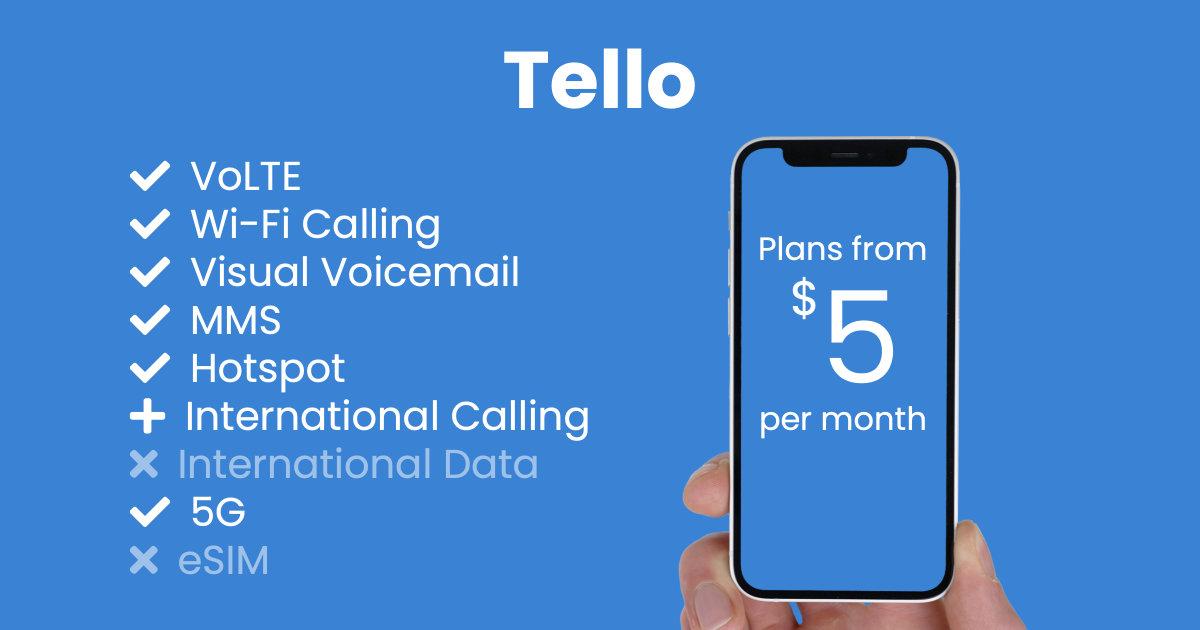
You do not need a second phone to have a second number. Modern smartphone hardware already possesses the ability to run two completely separate telephone lines simultaneously. By pairing your existing device with a budget-friendly cellular carrier like Tello Mobile, you can set up a dedicated second line for as little as $5 per month, without ever needing a spare pocket.
What Can You Actually Do with a Dedicated Second Number?
Adding an independent second phone line does not just clean up your call history; it creates clear functional barriers across different corners of your everyday life.
1. Freelance and Client Inquiries
If you work for yourself, run a consultancy, or take on freelance creative projects, giving clients your primary number sets an expectation of around-the-clock availability. A dedicated business line allows you to set clear working hours. When your workday ends, you can silence that specific line or send calls directly to voicemail without muting family emergencies.
2. Side Hustles and Local Marketplace Selling
Listing items on platforms like Facebook Marketplace, Craigslist, OfferUp, or eBay often involves brief back-and-forth communication with people you have never met. Sharing a secondary number lets you arrange handoffs and negotiate prices without tying your primary identity to public listings.
3. Deliveries and Online Service Orders
From rideshare drivers to home repair contractors and delivery couriers, modern conveniences require brief telephone contact. Routing these notifications to an auxiliary number keeps your core message inbox reserved for the people who matter most.
4. Direct SMS Verification
Many modern digital services, classified platforms, and verification tools require standard mobile telephone numbers to authenticate accounts. While virtual VoIP apps often face roadblocks with shortcode verifications, a true cellular line provides an authentic carrier connection for services where standard verification is permitted.
Cellular Line vs. Calling App: The Critical Difference
When looking for a secondary phone number, many people first turn to free or cheap VoIP (Voice over Internet Protocol) apps like Google Voice, TextNow, or Skype.
Virtual calling apps certainly have their place, but they come with distinct structural trade-offs:
- Connection Quality: App-based calling depends entirely on a strong, stable internet connection. If your data signal drops to one bar while driving or walking down a city street, your call quality immediately stutters or disconnects. A cellular connection routes voice traffic over primary carrier voice channels, ensuring standard cellular call clarity.
- Dialer Integration: With a VoIP service, making a phone call requires unlocking your phone, finding the app, and dialing through a third-party interface. Incoming calls can lag behind or get suppressed by background battery-saver settings. A cellular line integrates directly into your phone’s native dialer and Contacts app.
- Carrier Acceptance: Because VoIP numbers are categorized differently in national telecommunications databases, numerous verification systems and specialized platforms reject them automatically. A true cellular subscription provides a standard carrier-assigned line.
Rather than running an app in the background and hoping its notifications stay awake, a cellular line turns your smartphone into a native dual-line communications hub.
How Tello’s $5 Customizable Plans Work
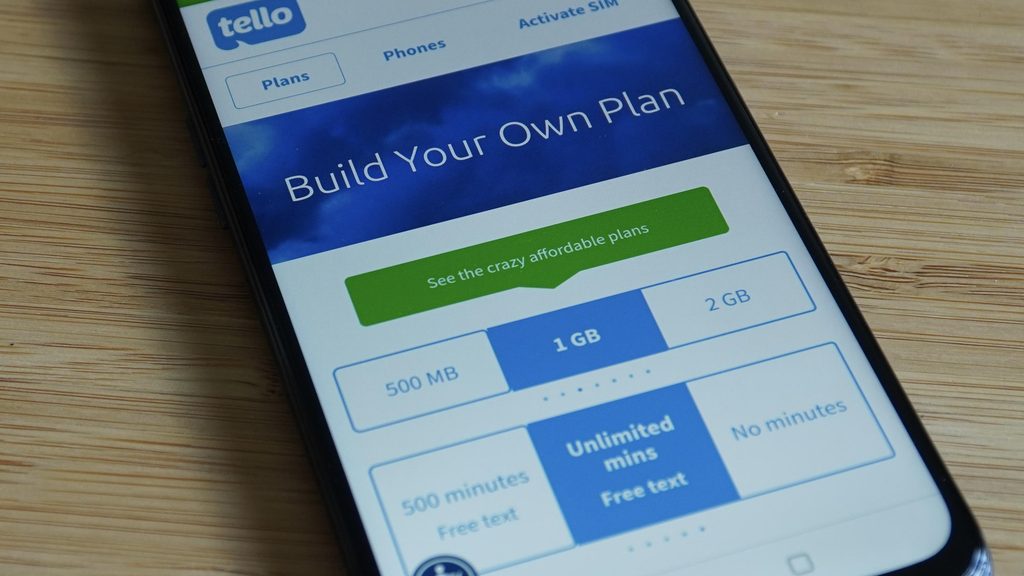
Tello Mobile has built its reputation on radical cellular flexibility. Operating on the nationwide T-Mobile 5G and 4G LTE network, Tello departs from rigid, multi-gigabyte family packages in favor of modular, build-your-own plans.
You are not locked into paying for unlimited mobile data on a line that you only intend to use for occasional client calls or marketplace listings. Tello allows you to decouple your voice minutes from your data allowance:
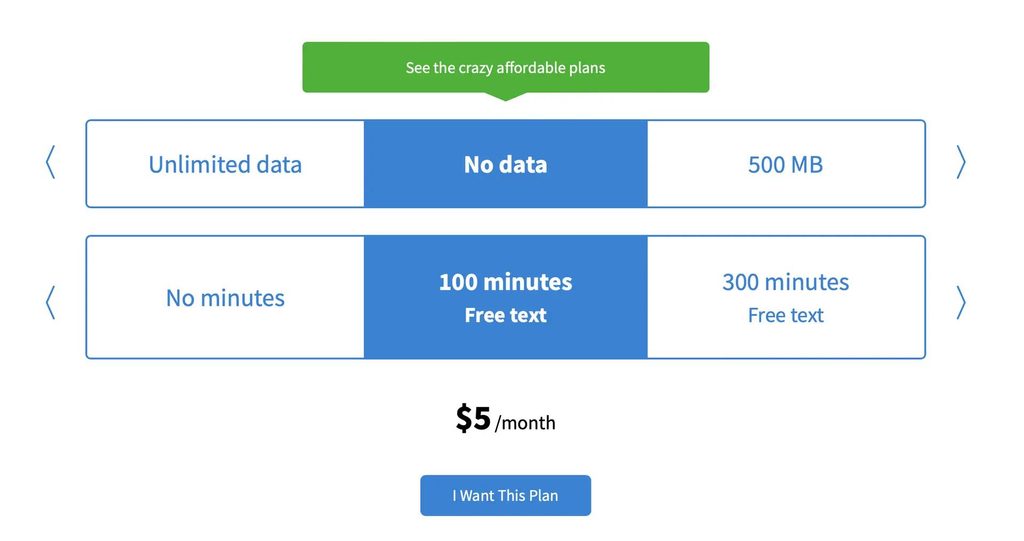
- The $5 Base Option: If you simply need a line for receiving client texts, placing outgoing calls, and managing selling inquiries, Tello offers plans starting at $5 per month for 100 minutes of voice calling and unlimited text messaging with no data included.
- The Calling Powerhouse: Need unlimited talk and text for continuous business discussions? An unlimited talk-and-text plan with no mobile data runs just $8 per month.
- Low-Data Add-ons: If you need just enough mobile data to check an email or load a listing while away from home Wi-Fi, you can pair 1GB of data with flexible minute packages for only a few dollars more.
There are no binding multi-year contracts, activation fees, or cancellation penalties. You can dial your plan allowances up during busy sales months and scale them back down when projects wrap up.
Dual-SIM and eSIM: Two Numbers, One Screen
The technology that makes this setup effortless is Dual-SIM, specifically powered by eSIM (embedded SIM).
Modern smartphones, including Apple iPhones dating back to the iPhone XS series, Google Pixel devices since the Pixel 3a, and most recent Samsung Galaxy models, no longer rely solely on a physical plastic card. They contain an internal, programmable digital chip that allows you to store and run multiple cellular profiles simultaneously.
This means your current carrier can stay right where it is, handling your everyday personal life, while Tello runs silently alongside it on the exact same device.
Dual-SIM 101: A Step-by-Step Setup Guide
Setting up your second number takes only a few minutes from home:
- Keep Your Primary Line Active: Leave your existing physical SIM card or primary eSIM profile untouched. Your existing phone number, family group chats, and primary data plan will continue working normally.
- Activate Your Tello eSIM: Sign up on Tello’s website, select your custom plan, and choose eSIM delivery. Tello generates a digital activation QR code on your computer screen.
- Scan and Install: Open your phone’s cellular settings, select “Add eSIM” or “Add Cellular Plan,” and scan the QR code using your phone’s camera. The profile downloads and registers on the network within moments.
- Label Your Lines: Your phone will prompt you to name each line. Label your original line “Personal” and your new Tello line “Work” or “Selling.”
- Set Your Default Preferences: Tell your phone which line to use as your default data provider (usually your primary personal plan) and which line to use as your default voice line.
From that point forward, your phone does the heavy lifting. When an incoming call rings, your screen clearly displays whether the caller is dialing your personal number or your Tello line. When you send a text or dial an outgoing number, a simple tap allows you to choose which caller ID you present.
What to Check Before You Sign Up
Before ordering a secondary line, run through this quick hardware checklist:
- Is Your Phone Unlocked? If your smartphone is currently financed through or carrier-locked to a major network like AT&T or Verizon, it may reject a second line from a different provider. Verify that your device is fully carrier-unlocked.
- Does Your Device Support eSIM? Check your phone manufacturer’s specifications to confirm that your specific model supports dual-SIM functionality via eSIM.
- Do You Need Secondary Mobile Data? Remember that your phone can share its primary line’s data connection. If your main phone plan already includes generous data, your Tello line can often survive on a talk-and-text-only plan, keeping your cost locked at the absolute baseline.
A realistic note on communication separation: While adding a second cellular line is fantastic for organizing contacts and screening calls, it should not be confused with total anonymity. Like all regulated cellular carriers, Tello collects standard subscriber information necessary to deliver, bill, and secure the network under its privacy policy. Treat your second line as an organizational tool, not an invisibility cloak.
The Smarter Way to Take Back Your Personal Time
You do not need to drop several hundred dollars on a secondary smartphone, nor do you need to endure the awkwardness of carrying two devices everywhere you go.
By taking advantage of the Dual-SIM technology already sitting inside your smartphone, a low-cost cellular plan provides the ideal middle ground. Tello’s customizable plans give you a practical, flexible way to build an authentic second line around your actual communication needs, keeping your personal life private and your side projects organized, starting at just $5 a month.
Frequently Asked Questions
Can I turn off my second line on weekends or after hours?
Yes. Inside your phone’s cellular settings, you can toggle your secondary eSIM line on or off with a single tap. When toggled off, incoming calls on that line go straight to voicemail without ringing your handset, leaving your personal line fully functional.
Will having two lines on my phone drain the battery twice as fast?
Running dual standby mode does require your phone to communicate with two cellular connections simultaneously, but the battery impact is minimal. On modern smartphones, real-world standby time typically decreases by only 5% to 8% across an entire day.
Can I use WhatsApp or messaging apps with my second number?
Yes. If you use an iPhone, you can install the WhatsApp Business app alongside the standard WhatsApp application and register your Tello line to it. On many Android devices, features like “Dual Messenger” allow you to run two distinct copies of WhatsApp, Signal, or Telegram on the same phone.
Can I keep my number if I decide to cancel my plan later?
Yes. Because Tello provides a legitimate cellular service, your assigned number is fully portable under FCC regulations. If you decide to move the number to another provider later on, you can request your account number and PIN to port it out seamlessly.